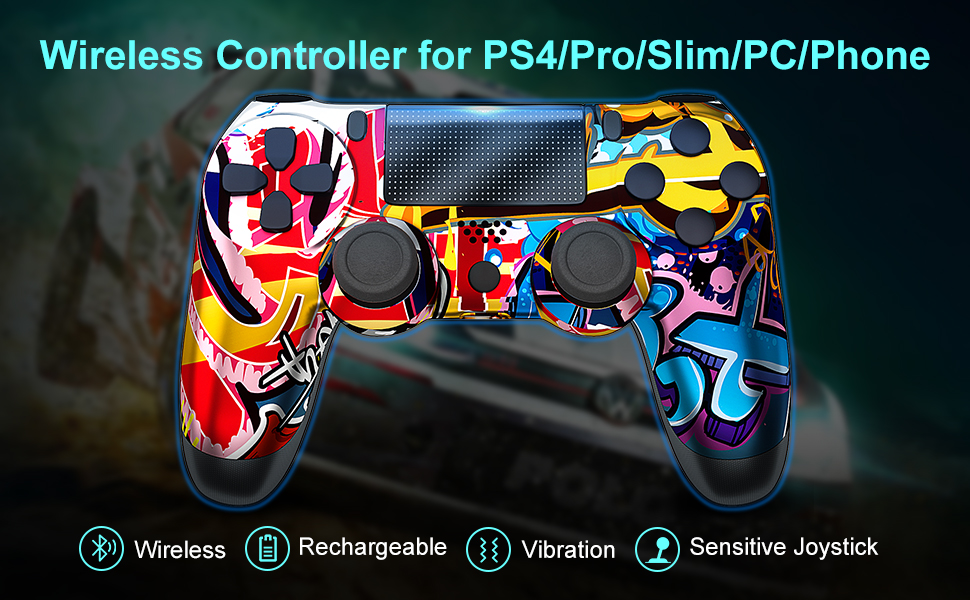
RIIKUNTEK Wireless Controller for PS4
The wireless controller adopts Bluetooth connection technology, which has wide compatibility, stable connection and 33 FT connection distance. It is suitable for Playstation 4/Pro/Slim, PC, Android, IOS 13, and other Bluetooth-enabled devices. Let you enjoy the fun of the game. Please note: RIIKUNTEK Wireless Controller is not an official controller. |
| |
Special and Personalized GraffitiThe exterior of the wireless controller is covered with cool graffiti patterns, colorful and individual.There are some differences in the pattern of each wireless controller. Will not confuse the controller when playing games with a companion. A perfect gift for family and friends. | Precise controlErgonomic design allows you to press sensitive action buttons accurately and easily, just a light press, the controller will immediately feedback to the game, reducing the risk of operating errors. | High Sensitivity360° Joystick & Six-Axis Sensor allow you to accurately control the movement of the game character, empathize with the character, and immerse yourself in the game world. |


 |  |  |
DualshockThe wireless controller has two built-in motors, which provide you with varying degrees of vibration effects in shooting, battle, and horror games, rendering the game atmosphere and increasing the sense of substitution. | Another Way to PlaySensitive touch screen provides another control method for the game characters. The touch screen control and joystick control can be switched at will. Please note that the specific functions of the touch screen depend on the game. | Share Your Mood"Share" button can share your game record, mood, experience to social software, and communicate with game players about the fun of the game. |
 PS4 Console Connection 1.Step 1: Turn on the PS4 console and connect it with the PS4 controller(Off state) by using a USB cable. 2.Step 2: Press the Home button, and the RGB LED light bar indicator flashes. When the connection is successful, the LED light bar will be always on. 3.Step 3: Unplug the USB cable, and you can enjoy the game with the controller wirelessly through Bluetooth technology. Power off: Press the Home button for 10 seconds, then the controller will be off. Reconnect: Press the home button, the PS4 controller will automatically connect to the console without a USB cable anymore. Android / IOS13 / PC Connection 1.Step 1: Turn on the bluetooth of the device. 2.Step 2: Press and hold the SHARE and HOME button at the same time for 3-5 seconds, the indicator light will flash quickly. 3.Step 3: Select "DUALSHOCK 4 Wireless Controller"/"Wireless Controller" in the Bluetooth list. The indicator light will always on to indicate successful connection. Please Note: PC needs to install the driver to use the wireless controller.